Construction Digital Twin: Model vs Reality
What a construction digital twin is, what it needs (IFC model, cameras, drone, 360) and how to compare real progress with the model.
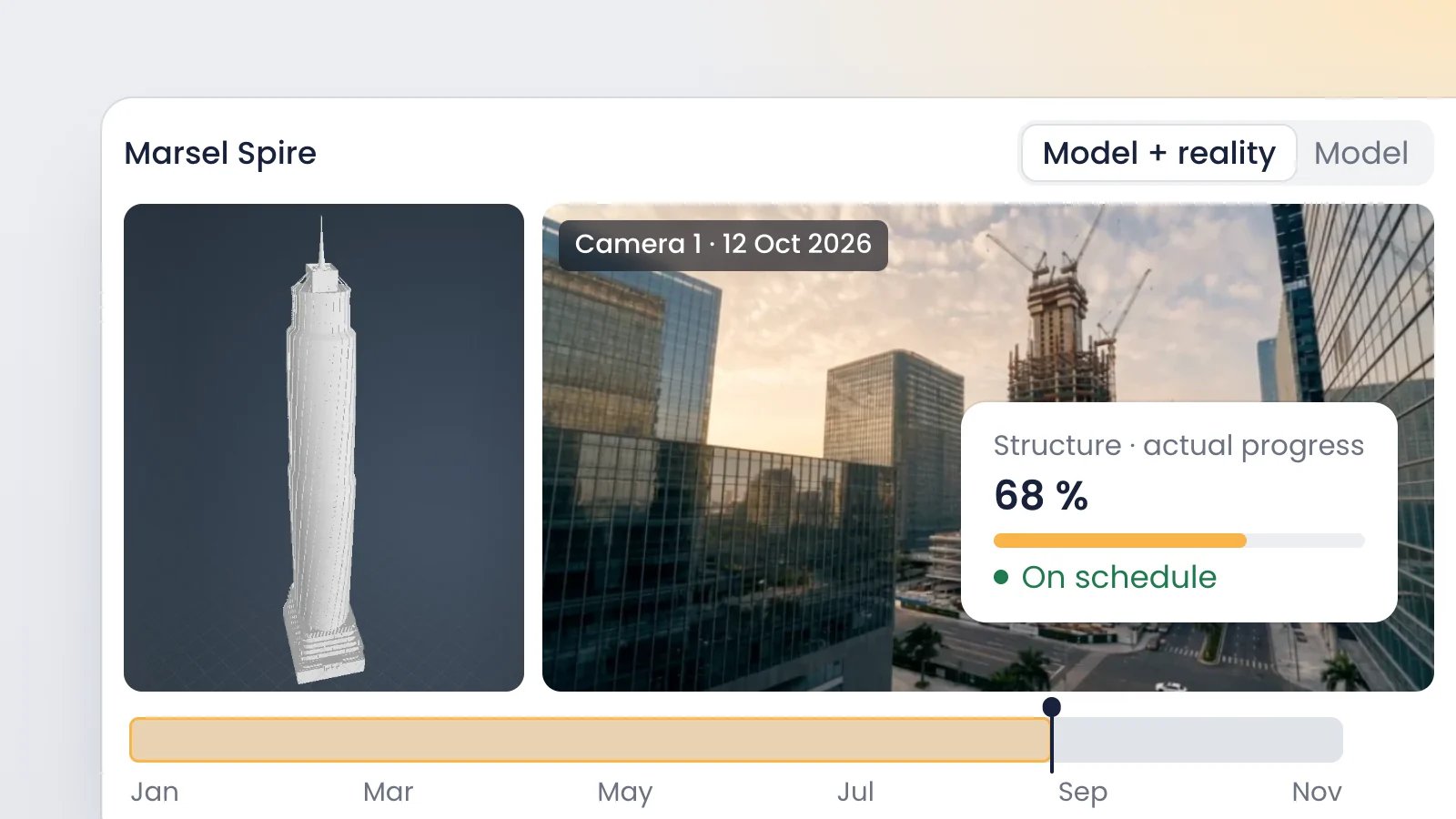
AI-generated images
A construction digital twin is a digital replica of a project or an asset that stays in step with what is happening on the ground. To use one for construction monitoring you need three pieces: the design model (IFC), captures of reality (cameras, drone, 360 photos) and a timestamp on every capture.
What a construction digital twin is, and what it isn't
Digital twin: a digital representation of a physical asset that stays connected to its real condition through dated captures or data. It is updated when the asset changes and is used to make decisions about it. If nobody updates it, it stops being a twin and goes back to being a 3D model.
The vocabulary is standardized in ISO/IEC 30173:2023, which covers digital twin concepts and terminology. For the built environment, the Gemini Principles from the Centre for Digital Built Britain describe digital twins as realistic digital representations of physical things, and group nine principles under three headings: purpose, trust and function.
On a jobsite, that rules out several things sold under the same label. A rendering is not a twin, because it doesn't show what was built. A design-phase BIM model isn't either, because it describes intent. A one-off point cloud gets closer, but it is a snapshot of a single day. The twin appears when you pair the model with captures repeated over time and someone uses them to make calls.
The three pieces: model, captured reality and time
Think of a jobsite twin as an equation with three terms. Drop one and you have nothing to compare:
Piece | What it gives you | Typical sources | Update rhythm |
|---|---|---|---|
Model | What should be built | Architecture, structure and MEP IFC files | With every design revision |
Captured reality | What has been built | Fixed cameras, drone, 360 photos, scanners | Continuous to monthly, by source |
Time | When it looked like that | Timestamp on each capture, schedule | Automatic with every capture |
Time is the piece people forget. An undated photo proves nothing in a pay application meeting or a delay claim. A dated photo taken from the same spot every day becomes a record you can pull up months later.
Each reality source has its role. A fixed camera gives continuity: one image a day, or many, from the same viewpoint. A drone flight covers large areas and roofs. 360 photos walk the interior once the fixed camera can no longer see inside. Laser scanning or photogrammetry adds measurable geometry for checking elevations and tolerances.
How to compare real progress against the model
With all three pieces in place, progress tracking becomes a routine anyone on the team can repeat. In VisionHub it works like this:
- Load the IFC into the project with the BIM digital twin module. You can load several models and overlay them, for example structure and MEP. If you have a drone or scanner capture, upload it too: the viewer displays point clouds and Gaussian Splatting or NeRF models.
- Sync the model's virtual camera with a live jobsite camera so both views line up.
- Compare the real image with the model side by side, or fade the model over the image. Missing, extra or misplaced work stands out.
- If something looks off, measure distances, areas or volumes in the model and cut a section to see the detail.
- Pull up the same view on another date with photo comparison, filtering by day, time and camera, to see when the deviation started.
- Check what you see against the project's Gantt chart to know whether the activity is on schedule.
None of this replaces walking the site, but it changes why you go. The owner's rep or the architect's site observer arrives knowing what to look at, and saves the visit for what actually needs boots on the ground: touching, measuring in detail, talking to the superintendent.
Examples by sector
Digital twins are not just for buildings. The reality sources and the rhythm change; the logic doesn't.
Residential and commercial buildings
A developer with three projects under way puts one fixed camera on each site and loads the structural models into the platform. Every Monday, its project manager compares the synced camera view with the model and knows which slab has been poured on each building without driving out. Site visits are kept for milestones and inspections.
Linear infrastructure
On a 4 km pipeline section, one fixed camera can't see everything. The contractor combines cameras at the active work fronts with periodic drone flights flown by specialist partners, and stores each flight in the project gallery with its date. Comparing dates shows how many meters of trench were opened, backfilled or reinstated in each period.
Energy plants
On a solar farm under construction, the engineering team tracks racking installation and cable trenching with fixed cameras and drone flights. The model fixes the position of every tracker row, and the dated image confirms which blocks are complete before progress is certified.
Agricultural facilities
A grower expanding a packhouse or building a new storage barn uses the same setup at a smaller scale: one camera, the building model and a construction time-lapse. It lets the owner follow the work from headquarters and keeps a visual record for the final walkthrough.
Assets in operation
The twin doesn't have to end at handover. At a water reservoir or an electrical substation, the same cameras switch to watching the asset's condition, and the as-built model stays as the reference for maintenance and inspections.
What VisionHub does today, and what is coming
It pays to separate what ships from what is announced. Today the BIM module loads and overlays IFC files, measures, cuts sections, offers plan, elevation and 3D views, shows the model tree with element properties, and syncs the virtual camera with a live camera to compare model and reality. The viewer also integrates point clouds and NeRF or Gaussian Splatting models captured by drone or 3D scanner.
On the roadmap, and not available yet: hotspots with 360 aerial photos and AI-based automatic deviation detection. Whatever digital twin platform you evaluate, ask to see the features you need today working on a real project.
Where to start on your project
You don't need the full twin on day one. This order works on most projects:
- Name the question you need answered: progress for pay applications, quality control, reporting to investors?
- Choose the reality source that answers it with the least effort. For daily progress, a well-placed fixed camera; for large areas, a drone.
- Make sure the model is in IFC and opens cleanly. You can check it first in a free online IFC viewer.
- Decide who compares, how often, and where the record lives.
Each role gets something different out of it: the developer controls the schedule, the GC documents completed work, the owner's rep prepares site visits and public agencies stay accountable. Public owners are moving this way by mandate, as Spain's BIM plan for public works shows. See how it maps to your role in our profiles section.
Frequently asked questions
What is the difference between a digital twin and a BIM model?
A BIM model describes the asset at one point in time, usually the design or the final as-built. A digital twin starts from that model but connects it to dated captures of reality, such as cameras, drone flights or 360 photos, and keeps it current. The model says what should be there; the twin shows what is there and since when.
Do I need a point cloud to have a construction digital twin?
Not always. To track progress, an IFC model plus fixed cameras capturing from the same position every day is enough. A point cloud from laser scanning or photogrammetry adds measurable geometry and helps verify elevations or sign off critical work, but you don't need one to start comparing the jobsite with the model.
How often should the twin be updated?
As often as the decision it supports requires. A fixed camera updates it continuously, with no effort. Drone flights and 360 photos are usually scheduled by milestone, or weekly or monthly. For an asset in operation, the norm is to update after each significant inspection or intervention, so the twin always reflects the current condition.
Does a digital twin work outside building construction?
Yes. It works the same way on linear projects such as roads, rail and pipelines, on energy plants, on agricultural facilities and on assets in operation. What changes is the mix of sources: linear projects lean on drones and cameras at the work fronts; buildings lean on fixed cameras and interior 360 photos.
Conclusion
A useful construction digital twin doesn't have to be spectacular. It needs a reliable model, captures repeated from the same spot, and a date on each one. With that, you can compare design against what was built without relying on anyone's memory, in any sector. To see it with your own model and cameras, book a demo and we will show you how the BIM module works. To check which industries we cover, visit our sectors page.